
Central to most financial literacy programs is fraud awareness. How to keep the bad guys from getting your money, possessions or good name. Who Wants to be a Fraudster? is a variation of the classic bingo game in which participants match a term or concept to a fraud related question.
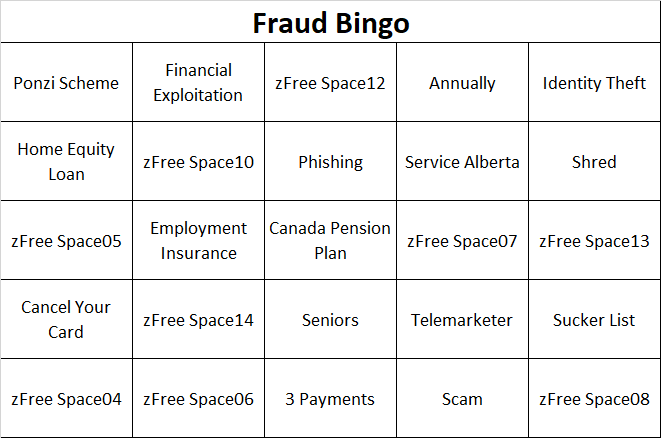
Thanks to Consumer Action
The concept and many of the questions are from Consumer Action, a US Based advocacy group. Unfortunately their Bingo Game has a strong American basis so I have updated it with Canadian terms [1].
Have Excel, Will Travel
The Consumer Action file is a static game. Nothing particularly wrong with that but the attached template adds some Microsoft Excel features. In particular, questions can be changed, randomly generated game cards printed and the file tweaked to the needs of the particular audience. Of course, the template can be used for other games.
The file is pre-populated with fifty fraud awareness terms and corresponding question in two separate worksheets. Why 50? Because it fits on two Bingo Cards and getting through more than 50 questions would be a slog. If you want more questions, you can tweak the formulas, etc. Good luck with that.
Preparing the Game
QUESTIONS: Go to the ‘Questions‘ tab. Replace any pre-seeded question with your own. You will either need to use an existing term from the drop down or peak ahead and add the word to the list.
WORDS/ANSWERS: Go to the ‘Words‘ tab. Delete/replace an existing word with a new one. For example, if you live in Ontario, replace ‘Service Alberta’ with its equivalent.
WORD ORDER: You can probably ignore this unless you want to add or remove questions. If the latter, it is important that the words are sorted alphabetically (mostly to make your life easy) and there is an unique and ASCENDING value in the Order Column (A). The Bingo cards rely on this. If you don’t believe me then read the original blog post this functionality is based on (and with thanks and attribution!) [2].
PRINTING THE GAME: The game will print two cards per page. To print sufficient cards, you will need to press “F9” (the recalculation button) and then print. For example, for 20 participants, print 1 page, press F9, print 1 page, press F9… and so forth.
Playing the game
Distribute the cards in advance of the presentation and have the players mark off terms that appear on the presentation (e.g. “Phishing” appears on a slide and a player marks this off). To reinforce learning, use some or all of the cards as a game by itself.
A winner can be an individual participant or the first team with one, two or all of their cards blacked out.
 Organizational Biology