Unknown's avatar

About Frank SAPAA

Webmaster and Board Member of SAPAA and born and raised Albertan. Love exploring Alberta particularly in the winter on snow shoes.

Lagom & Literacy

Lagom is a Swedish that roughly translates to ‘Just Right’. It does not mean average, sufficient, moderate or adequate – it means the right amount for the circumstances. It is an expression of comfort and has elements of the concept of “Gemütlichkeit” or coziness.
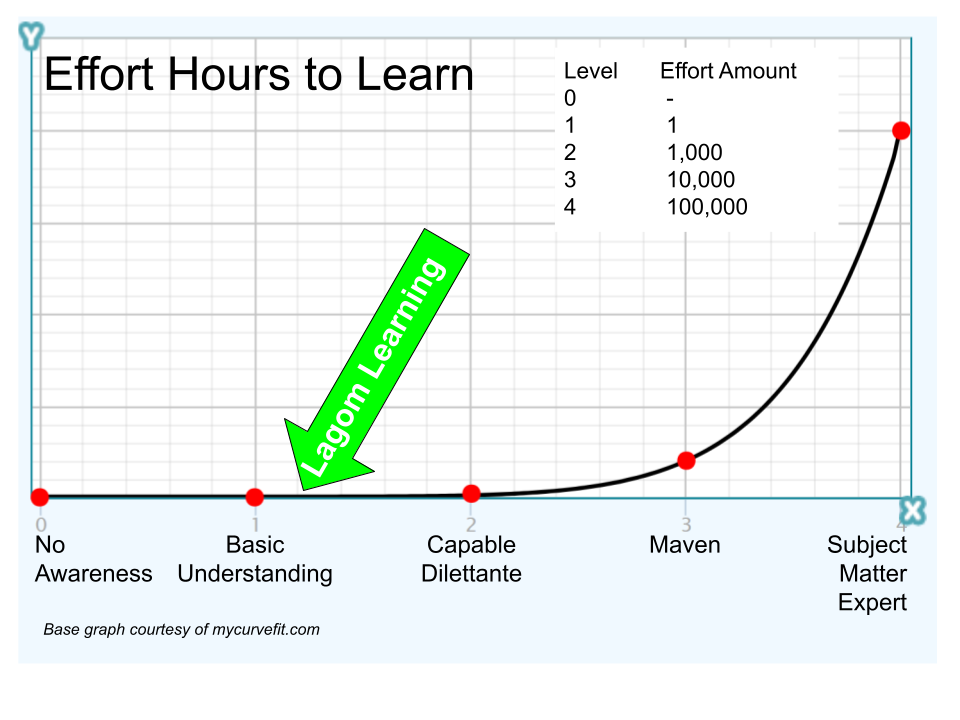
A scale with five horizontal points. The vertical axis increases on a logarithmic scale starting at one (Level 1) and ending at 10,000 (Level 4).
Lagom – learning – Levels. A logarithmic scale of the level of effort to learn a subject.
Continue reading

LinkedIn – Google Forms Essential Training

I discovered that my local library (St. Albert) has a subscription to LinkedIn-Learning. One of the courses offered is a basic course on Google Forms Essential Training. This technology is a possible solution for a project I am working on – so a free whirlwind tour is a deal I could not pass up! Because I am declaring this course for verifiable professional development, the following are some notes and ‘KEWL’ things learned.

Google Forms landing page selecting a blank form or starting from a template.
Getting started on a Google Form can be daunting – Jess’ overview course shows it is easy-peasy.
Continue reading

Zoom Tips, Tricks & Hacks with Tony White

My notes from a session hosted by Tony White, a consultant and training specialist from Ontario [1]. This 3.5-hour session was hosted by the Canadian Executive Services Organization (CESO) and was well run and informative.

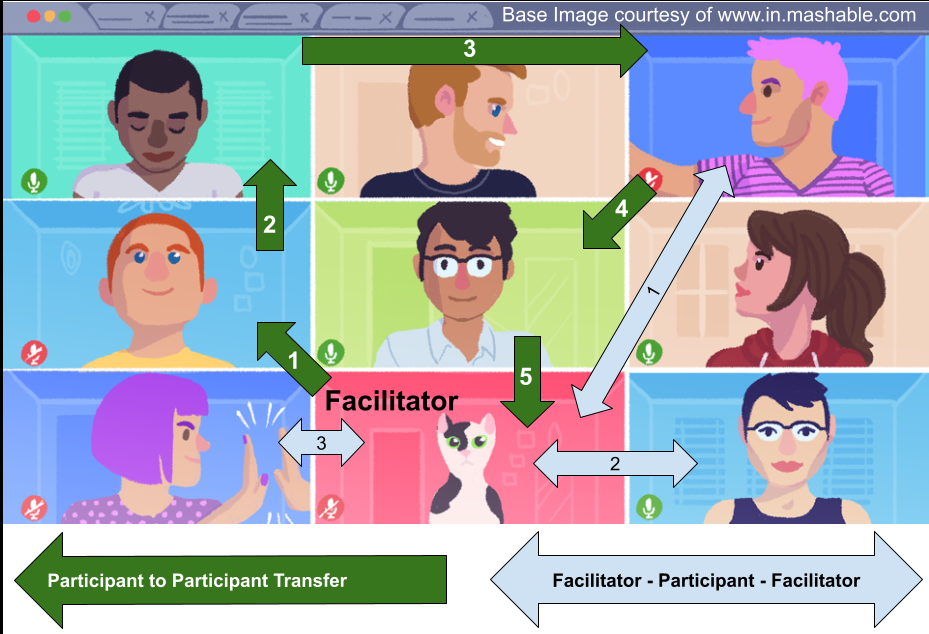
Gallery view of a Zoom image has communication originating and then returning to the facilitator (blue arrow).  Alternatively, the 'floor' moves from participant to participant returning to the moderator (green arrow).
Blue Arrow: Moderator Centric Facilitator Using a Gallery View. Green Arrow: Participant Centric. (image courtesy of mashable.com)
Continue reading

The Alpha Zoom & Other Tricks

Control a meeting can be a challenge [1] and a virtual even more so. Part of the following series, this and following blog will discuss Zoom-tools and methods to keep a meeting under control and the participants engaged.

Double exposed image of a German Krampus creature.  Taken in Austria, December 2010.
Taking control of a Zoom Meeting doesn’t mean you have to become a monster (Krampus – Austria December 2010).
Continue reading

Zoom for the Newbie

In a previous blog (Freely Zooming in on Non-Profits), an organization has acquired Zoom. The second blog in the series (Setting Up Zoom (TOO MANY OPTIONS!)) discussed which buttons to push to make the tool work optimally for non-profit. Now you are ready for your first big meeting, YEAH!

Zoom Buttons and What They Do
Continue reading

Setting Up Zoom (TOO MANY OPTIONS!)

In a previous blog (Freely Zooming in on Non-Profits), an organization has decided to use a free version of Zoom or purchase a license, the good news. The better news is that Zoom is a highly configurable tool designed to be used in large organizations with a myriad of complex and varying business requirements.

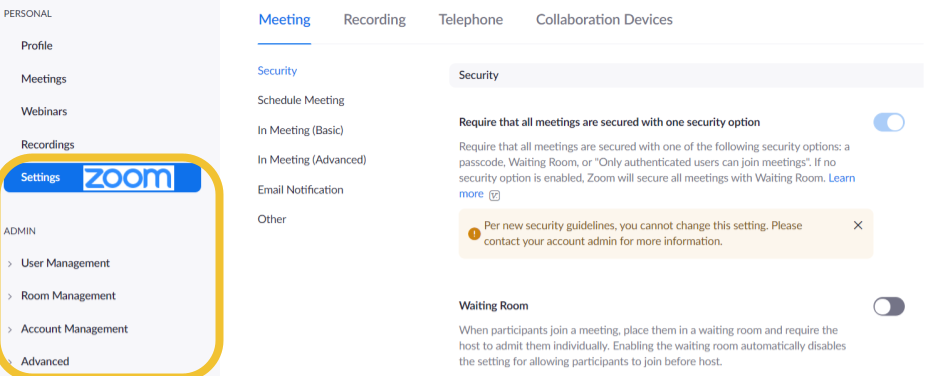
Screen shot of the administration panel of a Zoom account in which configuration options can be made.
Admin level access to Zoom Options.
Continue reading

Go Forth and Budget

Having been a ‘budget-guy’ my entire professional life, I have promoted the concept of ‘Just-Enough Budgeting‘. Use only enough planning to achieve the maximum value from the planning [1]. Developing financial plans are expensive, challenging to maintain and may run counter to the well-being of an organization [2].

Vienna Sculpture of the family.
Continue reading