Death Marches, Rope Burn, Video Editing, and Other Fun

A memory jog about the effort behind organizing and then editing the video for a ninety-minute webinar on grant management. Lessons learned from their self-taught journey, emphasize time-intensive editing processes, and highlight the minimal audience engagement expected. A written summary is a more efficient and effective alternative.

Continue reading

Zoom Tips, Tricks & Hacks with Tony White

My notes from a session hosted by Tony White, a consultant and training specialist from Ontario [1]. This 3.5-hour session was hosted by the Canadian Executive Services Organization (CESO) and was well run and informative.

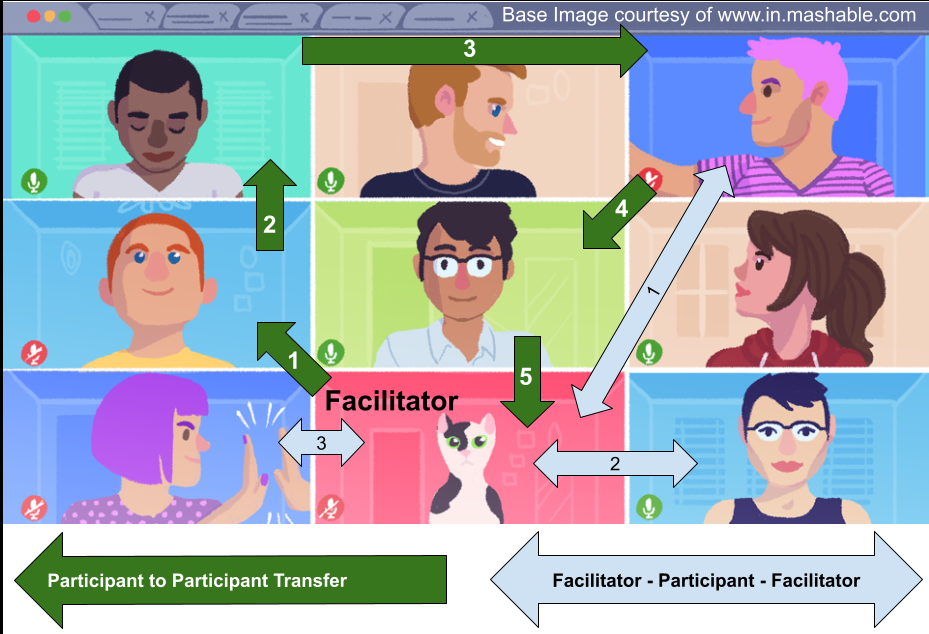
Gallery view of a Zoom image has communication originating and then returning to the facilitator (blue arrow).  Alternatively, the 'floor' moves from participant to participant returning to the moderator (green arrow).
Blue Arrow: Moderator Centric Facilitator Using a Gallery View. Green Arrow: Participant Centric. (image courtesy of mashable.com)
Continue reading

The Alpha Zoom & Other Tricks

Control a meeting can be a challenge [1] and a virtual even more so. Part of the following series, this and following blog will discuss Zoom-tools and methods to keep a meeting under control and the participants engaged.

Double exposed image of a German Krampus creature.  Taken in Austria, December 2010.
Taking control of a Zoom Meeting doesn’t mean you have to become a monster (Krampus – Austria December 2010).
Continue reading

Zoom for the Newbie

In a previous blog (Freely Zooming in on Non-Profits), an organization has acquired Zoom. The second blog in the series (Setting Up Zoom (TOO MANY OPTIONS!)) discussed which buttons to push to make the tool work optimally for non-profit. Now you are ready for your first big meeting, YEAH!

Zoom Buttons and What They Do
Continue reading

Setting Up Zoom (TOO MANY OPTIONS!)

In a previous blog (Freely Zooming in on Non-Profits), an organization has decided to use a free version of Zoom or purchase a license, the good news. The better news is that Zoom is a highly configurable tool designed to be used in large organizations with a myriad of complex and varying business requirements.

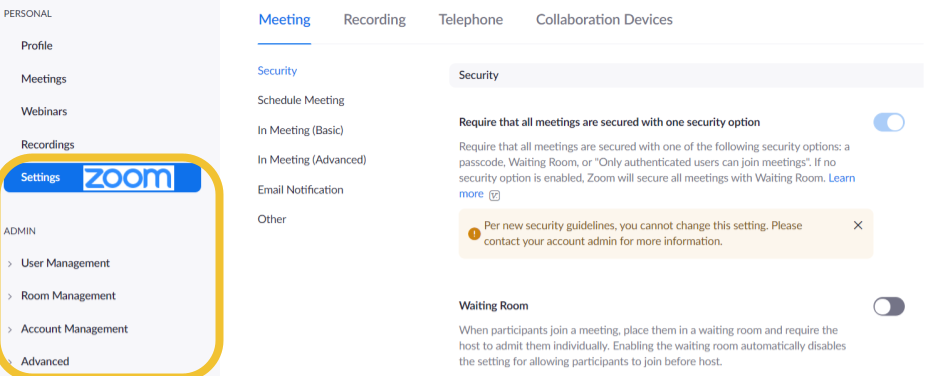
Screen shot of the administration panel of a Zoom account in which configuration options can be made.
Admin level access to Zoom Options.
Continue reading